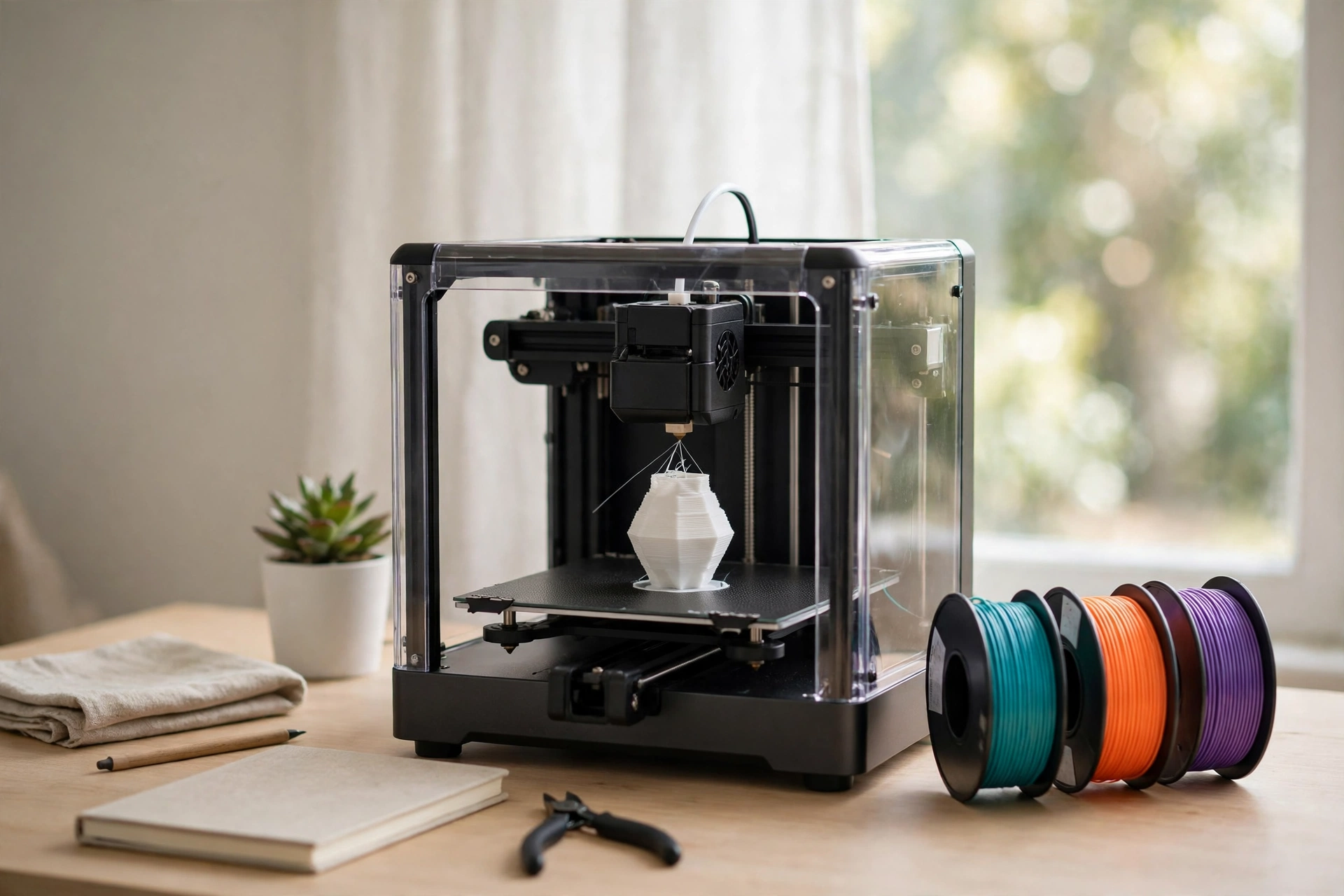
Quick answer: the best budget 3D printer for most people is the Bambu Lab A1 mini at around $200 to $250. It calibrates itself, prints well straight out of the box, and needs almost no tinkering, which is exactly what a first printer should do. If you want the lowest price, the Creality Ender-3 V3 SE at around $170 to $200 is the cheapest serious printer in 2026, with auto bed leveling and the biggest owner community in the hobby. For bigger parts, step up to the Bambu Lab A1 at around $300 to $350, which gives you a 256 mm cube and the same easy workflow. Prices change with sales, so treat every number in this guide as a range, not a quote.
Budget 3D printing in 2026 looks nothing like it did a few years ago. Machines under $250 now ship with automatic bed leveling, direct drive extruders, and print speeds that used to belong to machines costing over $1,000. The hard part of buying cheap is no longer finding a printer that works. It is avoiding the ones that cost more after the sale than they saved at the register, through failed prints, wasted filament, and hours of troubleshooting.
This guide compares the best budget 3D printers side by side, with prices and specs checked against maker and retailer pages in November 2026. Every pick costs under $450, and most cost under $300. The picks are grouped by price tier, so you can shop the bracket that fits your wallet, and the buying guide below explains what to check before you pay.
Our Top Picks at a Glance
This table puts all 11 of the best budget 3D printers side by side. Scan the Best for column first, because it tells you which job each printer suits. Then check the price range, and read the full pick only for the two or three printers that match your job.
| Printer | Build volume | Top speed (maker claim) | Frame | Best for | Price range |
|---|---|---|---|---|---|
| Creality Ender-3 V3 SE | 220 x 220 x 250 mm | 250 mm/s | Open, bed-slinger | Cheapest serious printer, biggest community | around $170–$200 |
| Anycubic Kobra 2 Neo | 250 x 220 x 220 mm | 250 mm/s | Open, bed-slinger | Easiest first layer at $200 | around $170–$250 |
| Bambu Lab A1 mini | 180 x 180 x 180 mm | 500 mm/s | Open, bed-slinger | Best overall for beginners | around $200–$250 |
| Elegoo Neptune 4 | 225 x 225 x 265 mm | 500 mm/s | Open, bed-slinger | Fastest prints under $300 | around $210–$280 |
| Flashforge Adventurer 5M | 220 x 220 x 220 mm | 600 mm/s travel | Open, CoreXY | Cheapest CoreXY printer | around $249–$300 |
| Bambu Lab A1 | 256 x 256 x 256 mm | 500 mm/s | Open, bed-slinger | Best big printer under $350 | around $300–$350 |
| Elegoo Centauri 2 | 256 x 256 x 256 mm | 500 mm/s | CoreXY | Big CoreXY cube on a budget | around $279–$300 |
| Elegoo Centauri Carbon 2 | 256 x 256 x 256 mm | 500 mm/s | Enclosed, CoreXY | Enclosed printing for ABS and ASA | around $349–$400 |
| Anycubic Kobra X | 260 x 260 x 260 mm | not stated | Open, CoreXY | Multicolor printing on a budget | around $344–$400 |
| Flashforge AD5X | 220 x 220 x 220 mm | 600 mm/s travel | Enclosed, CoreXY | Enclosed multicolor under $450 | around $399–$450 |
| Elegoo Mars 5 | 143 x 89.6 x 175 mm | resin (MSLA) | Resin | Miniatures and fine detail | around $160–$190 |
What “Budget” Means in 2026
A budget 3D printer is a desktop machine for students, hobbyists, classrooms, and light prototyping, not a production line. In this guide, budget means a printer that costs under $350, with most picks under $300. Anything much cheaper than $150 is usually false economy, because the frame, the leveling sensor, and the parts support are the first things a maker cuts to hit that price.
The tiers below show what your money buys at each step. The jump from $200 to $300 buys real things, like full auto calibration, a CoreXY frame, or a bigger build volume. The jump from $300 to $350 mostly buys an enclosure or multicolor printing, which only matters if your projects need them.
| Tier | Price range | What you get | Example models |
|---|---|---|---|
| Entry-level | around $170–$200 | Auto leveling, direct drive, 220 mm class build volume | Ender-3 V3 SE, Kobra 2 Neo |
| Sweet spot | around $200–$300 | Full auto calibration, faster motion, CoreXY options | A1 mini, Neptune 4, Adventurer 5M, Centauri 2 |
| Upper budget | around $300–$400 | Large 256 mm cube, enclosure, or multicolor | A1, Centauri Carbon 2, Kobra X, AD5X |
| Step-up | around $500 and up | Enclosed CoreXY, every filament, pro reliability | Bambu Lab P1S, Prusa MK4S |
One more thing to settle before you shop: the printer price is only the start. Filament, failed prints, nozzles, and a spare build plate add up fast, and the true first-year cost of a $199 printer is closer to $400. That math is covered in its own section below.
Which Budget 3D Printer Should You Get for Your Job?
Start with what you print and where you print it, not with the price tag. Here is how the best budget 3D printers on this page line up by job: a first printer for a beginner, take the Bambu Lab A1 mini at around $200 to $250, because it calibrates itself and just works. The cheapest way in, take the Creality Ender-3 V3 SE at around $170 to $200. Big functional parts and cosplay pieces, take the Bambu Lab A1 at around $300 to $350, because its 256 mm cube fits helmets and large brackets that the smaller printers cannot.
Miniatures and tabletop figures belong to resin, so take the Elegoo Mars 5 at around $160 to $190 and accept the wash and cure workflow that comes with it. Multicolor prints without manual filament swaps, take the Anycubic Kobra X at around $344 to $400, or the A1 mini with the AMS Lite combo at around $300. Parts in ABS or ASA, take the Elegoo Centauri Carbon 2 at around $349 to $400, because it is the cheapest enclosed pick here. A classroom or makerspace buying several machines should take the Ender-3 V3 SE, because standardizing on one model with cheap parts keeps the whole fleet running.
If you only remember one rule, make it this one: pick the material first, then the cheapest machine that prints it well. A printer that cannot handle the filament your project needs is not a bargain at any price, and that single choice matters more than the speed number printed on the box. Get the material right and the rest of the choice gets much easier.
FDM or Resin: Which One Should You Start With?
This is the first decision you need to make, and it depends entirely on what you want to print. FDM printers melt plastic filament and lay it down layer by layer, like a very precise hot glue gun controlled by a robot. Resin printers cure liquid photopolymer resin with UV light, one layer at a time, and they produce much finer detail.
FDM is the right start for almost every beginner. It is better for functional parts, brackets, enclosures, prototypes, and anything larger than a few inches, and it is far more forgiving when something goes wrong. A failed FDM print wastes about fifty cents of filament, while a failed resin print wastes several dollars of resin plus cleaning time. Resin earns its place when fine detail matters more than size or strength, like miniatures, jewelry patterns, and dental models.
| Factor | FDM (filament) | Resin (MSLA) |
|---|---|---|
| Detail quality | Good, layer lines visible | Excellent, nearly invisible layers |
| Build volume | Large, up to 256 mm cube on a budget | Small to medium, most under 200 mm tall |
| Material cost | Low, filament around $15–$25 per kg | Medium, resin around $25–$40 per kg |
| Post-processing | Minimal, remove supports and go | Required, wash in alcohol then UV cure |
| Smell and ventilation | Mild, PLA is nearly odorless | Strong, resin fumes need ventilation |
| Mess factor | Low, dry plastic | High, liquid resin is sticky and toxic to skin |
| Strength | Good to excellent | Moderate, brittle without tough resin |
| Safety | Generally safe | Needs gloves, glasses, ventilation |
For most people, the best 3D printer for beginners is an FDM machine, and the resin pick in this guide is there for the one job FDM cannot do well. If you already know you want miniatures, skip the FDM section and read the Mars 5 pick, but budget for the wash and cure station and the safety gear, because a resin printer without them is not a complete setup. That extra gear is part of the real price, so count it before you compare resin against FDM on cost alone.
How to Choose a Budget 3D Printer
The best budget 3D printers differ from each other far more than expensive ones do, so check eight things before you pay. First, automatic bed leveling, which is now standard at this price and removes the single biggest beginner chore. Second, build volume, because a part that does not fit is a part you cannot print at all. Third, the frame type, where a CoreXY frame moves faster with less shaking than a bed-slinger. Fourth, the materials it handles, since an open printer suits PLA and PETG while ABS and ASA want an enclosure.
Fifth, the extruder, where a direct drive handles flexible TPU far better than an older Bowden tube setup. Sixth, connectivity, because the Ender-3 V3 SE still has no Wi-Fi and moves files by SD card, while Bambu machines send jobs over Wi-Fi from your computer. Seventh, the community and parts pipeline, where a printer with millions of owners means every problem already has a video, a forum thread, and a cheap replacement part. Eighth, the warranty, where the A1 mini carries two years and the Ender-3 V3 SE carries twelve months, which tells you how much the maker trusts its own machine.
Do not pay extra for a higher top speed either. A 500 mm/s claim is a ceiling, not a promise, and most good prints run well below it. What matters is the frame, the calibration, the nozzle temperature ceiling, and the range of filament the machine can reliably feed. If a listing hides its build volume or its leveling system, treat that silence as information.
The Best Budget 3D Printers Under $200
Two honest machines live under $200, and both ship with auto leveling, direct drive extruders, and build volumes over 200 mm in every direction. Either one is a real printer, not a toy, and the choice between them comes down to community size against first-layer ease. The best 3d printer under $200 for most buyers is the Creality Ender-3 V3 SE, because its community answers every question a beginner will ask, while the Anycubic Kobra 2 Neo is the pick if you want the easiest first layer.
1. Creality Ender-3 V3 SE
Best for: the lowest price on a serious printer, with the biggest community behind it.
The Ender-3 V3 SE is the cheapest way into real 3D printing in 2026. It has CR Touch auto leveling, a Sprite direct drive extruder that handles PLA, PETG, and flexible TPU, and a 220 x 220 x 250 mm build volume. Creality lists a 250 mm/s top speed, a 260 °C nozzle limit, and a 100 °C bed.
The catch: there is no Wi-Fi, so files move by SD card, and the 260 °C nozzle ceiling is lower than the 300 °C and 350 °C limits on the Bambu and Centauri machines. The open frame also means ABS and ASA are a poor fit. The real strength here is the ecosystem, because millions of Ender owners mean every problem already has a fix online.
Price: around $170–$200. Type: open-frame FDM, bed-slinger.
2. Anycubic Kobra 2 Neo
Best for: the easiest first layer at this price, with one-touch leveling.
The Kobra 2 Neo matches the Ender-3 V3 SE on price and beats it on first-layer ease. Its LeviQ 2.0 system maps 25 points across the bed and sets the Z-offset in one touch, which is the closest thing to a hands-off first layer under $200. Anycubic lists a 250 x 220 x 220 mm build volume, a 250 mm/s top speed, a 260 °C nozzle, and a 110 °C bed, and the textured PEI bed grips PLA well from the first print.
The catch: the Anycubic community is much smaller than Creality’s, so a replacement hotend in a hurry can mean waiting days instead of next-day delivery. Anycubic’s own US store lists it at $249, though street prices from retailers run closer to $170 to $200, so check the current listing before you judge it on price.
Price: around $170–$250. Type: open-frame FDM, bed-slinger.
The Best Budget 3D Printers Under $300
This is the sweet spot for most buyers, and it is where a budget printer stops feeling like a compromise. Full auto calibration, CoreXY frames, and high-speed printing all enter the price range here, and the hardware starts to resemble what professionals paid $700 for in 2023. If you can stretch past $200, this is the bracket to shop in, and the best 3d printer under $300 for most buyers is the Bambu Lab A1 mini.
3. Bambu Lab A1 mini
Best for: the easiest first printer, for small parts and tight desks.
The A1 mini is the printer this guide recommends to most first-time buyers, because it removes the most steps between unboxing and a good print. It runs full auto calibration before each print, covering bed leveling, flow, and vibration compensation. Bambu lists a 500 mm/s top speed, a 300 °C hot end, an 80 °C bed, and PLA, PETG, TPU, and PVA as supported filament. The AMS Lite combo adds four-color printing for roughly $100 more.
The catch: the 180 mm build cube is the smallest here, so anything taller than a coffee mug needs to be split into parts. Bambu also lists ABS and ASA as not recommended on this open-frame machine.
Price: around $200–$250. Type: open-frame FDM, bed-slinger.
4. Elegoo Neptune 4
Best for: the fastest prints under $300, for makers who like to tune.
The Neptune 4 is the speed pick in this bracket, with a Klipper-based control board that runs input shaping and pressure advance out of the box. Elegoo lists a 225 x 225 x 265 mm build volume, a 121-point auto leveling mesh, and a 500 mm/s top speed, though real-world quality prints run closer to 200 to 250 mm/s. Sale prices often drop it to around $210 to $250.
The catch: the frame is partially open, so ABS and ASA still want an enclosure add-on, and Klipper’s tuning options can tempt a beginner into changing settings before the stock profiles have had a fair run.
Price: around $210–$280. Type: open-frame FDM, bed-slinger.
5. Flashforge Adventurer 5M
Best for: the cheapest CoreXY printer, for fast prints on a stable frame.
The Adventurer 5M is the cheapest CoreXY printer from a major brand in November 2026, listed at $249 on Flashforge’s US store against a $399 list price. Its all-metal CoreXY frame, quick-detach 280 °C direct drive nozzle, and 20,000 mm/s² acceleration give it a speed and stability edge over bed-slingers at the same price. Flashforge lists a 220 x 220 x 220 mm build volume, auto leveling, run-out detection, and power-loss recovery.
The catch: the headline 600 mm/s figure is travel speed, not print speed, which is how fast the toolhead moves when it is not extruding. Flashforge’s own spec table says so, and several roundups repeat the number as a print speed anyway. The base 5M is also rated for PLA and PETG only, with ABS and ASA listed for the enclosed 5M Pro instead, so check the material list before you buy for tougher filament.
Price: around $249–$300. Type: open-frame FDM, CoreXY.
The Best Budget 3D Printers Under $350
Four machines live in the upper budget band, and each one buys a different capability: a bigger build volume, an enclosure, or multicolor printing. None of them is the right buy for everyone, so match the extra money to the job it unlocks. If none of those jobs is on your list, the sweet-spot printers in the section above will serve you just as well for less money.
6. Bambu Lab A1
Best for: the best big printer under $350, with the easiest workflow.
The A1 is the full-size version of the A1 mini, with the same full auto calibration and quiet operation in a 256 mm cube. That volume fits helmets, large cosplay pieces, and full-size functional prototypes that the mini cannot. Bambu lists a 500 mm/s top speed, a 300 °C hot end, a 100 °C bed, and AMS Lite support for four-color printing. The combo with AMS Lite runs around $400.
The catch: the open frame means ABS and ASA are still listed as not recommended, so this is a PLA and PETG machine first. At around $300 to $350 it costs roughly $100 more than the mini for the bigger volume, which is worth it only if your projects actually need the space. If they do not, the mini is the better buy.
Price: around $300–$350. Type: open-frame FDM, bed-slinger.
7. Elegoo Centauri 2
Best for: a big CoreXY cube without paying enclosed-printer money.
The Centauri 2 gives you a 256 mm cube on a CoreXY frame for around $279 to $300, which is the cheapest way to get that combination in 2026. Elegoo lists speeds up to 500 mm/s, 20,000 mm/s² acceleration, a 350 °C nozzle, and four-point auto leveling, plus readiness for the separate CANVAS multicolor upgrade. It suits buyers who want CoreXY speed and a large build volume without an enclosure.
The catch: Elegoo’s own listing does not say whether the printer is enclosed, so treat it as an open machine for material planning and confirm the current listing before printing ABS or ASA. The CANVAS multicolor upgrade is sold separately, so add its cost if color is the goal.
Price: around $279–$300. Type: CoreXY FDM.
8. Elegoo Centauri Carbon 2
Best for: enclosed printing for ABS and ASA at a still-modest price.
The Centauri Carbon 2 is the enclosed pick in this guide, and the enclosure is the whole point. It has the same 256 mm cube, 500 mm/s speed, and 350 °C nozzle as the Centauri 2, plus an enclosed chamber with a smart grille and a 110 °C heated bed, which keeps ABS and ASA from warping. Elegoo lists it at $349 on its US store, and it is ready for the separate CANVAS multicolor upgrade.
The catch: at around $349 to $400 it sits at the top of the budget band, and multicolor jobs on it can generate purge waste that approaches the weight of the finished part. The camera offers basic AI monitoring, though one independent test found it missed an ASA-related print issue, so do not print tough materials unattended.
Price: around $349–$400. Type: enclosed CoreXY FDM.
9. Anycubic Kobra X
Best for: multicolor printing on a budget, with the biggest build volume here.
The Kobra X is the multicolor value pick, with native four-color printing built in and a 260 mm cube, the largest build volume in this guide. It sells for around $344 on sale against a $459 list price, and combo configurations expand it to seven or more colors. Independent testing measured average color swaps of about 35 seconds, against 90 seconds or more on a competing printer, and found it used less purge material overall.
The catch: purge waste still exists, and one review noted the default purge settings can run too lean and cause color bleeding until you tune them up. The Kobra X is also a newer model with a smaller owner community than the Bambu or Creality machines.
Price: around $344–$400. Type: open-frame FDM, CoreXY, multicolor.
The Best Enclosed Multicolor 3D Printer Under $450
10. Flashforge AD5X
Best for: enclosed multicolor printing under $450.
The AD5X takes the Adventurer 5M formula, adds an enclosure and multicolor printing, and sells for around $399 on sale against a $549 list price. It has the same 220 mm cube, 600 mm/s travel speed, and 280 °C quick-detach nozzle as the 5M, plus Wi-Fi and Ethernet connectivity and support for TPU in a wider hardness range, including carbon-fiber blends. For a buyer who wants an enclosed machine that also prints in color, it is the cheapest complete package here.
The catch: at around $399 to $450 it is the priciest pick in this guide, and its 220 mm build volume is smaller than the Kobra X and the Centauri machines at similar money. The multicolor system also adds purge waste, so single-color prints remain the cheaper habit.
Price: around $399–$450. Type: enclosed CoreXY FDM, multicolor.
The Best Budget Resin 3D Printer
Resin is a different purchase from FDM, and it only makes sense for one job: fine detail. If that job is yours, this is the pick, and the accessories below it are not optional extras. The best budget resin 3d printer in 2026 is the Elegoo Mars 5, and the rest of this section explains what the full setup really costs.
11. Elegoo Mars 5
Best for: miniatures, tabletop figures, and jewelry patterns on a budget.
The Mars 5 is the go-to first resin printer in 2026, with an 8K screen at 18 micron XY resolution, a 143 x 89.6 x 175 mm build volume, and a COB light source for even curing. At that resolution, miniature faces have recognizable expressions and small mechanical parts hold tight tolerances that no FDM printer at this price can reproduce. Elegoo lists a 9.1 inch monochrome LCD and compatibility with Chitubox and Lychee slicers.
The catch: the printer is only half the purchase. A wash and cure station runs around $90 to $120, resin costs around $25 per kg in bottles of about a quart, and you need nitrile gloves, safety glasses, and 99% isopropyl alcohol, which is usually bought by the gallon. A full resin setup lands around $300, and the workflow takes 10 to 20 minutes of washing and curing after every print. Never run a resin printer in a closed bedroom, and never skip the gloves, because uncured resin irritates skin.
Price: around $160–$190 for the printer, around $300 for the full setup. Type: MSLA resin.
Do You Need an Enclosed Printer?
Not for PLA or PETG. Those two filaments print happily on an open machine, and they cover the great majority of beginner projects. Materials like ABS and ASA are different, because they need a stable warm chamber to stop them warping as they cool, and an open printer in a drafty room will fight you on every tall print. Of the picks here, only the Centauri Carbon 2 and the Flashforge AD5X list a full enclosure.
An enclosure also helps with noise and fumes, since it traps some of both, though it does not clean the air on its own. If you only plan to print PLA and PETG, an open printer at a lower price is the reasonable choice, and you can add a simple enclosure later if your projects change. If you already know you need ABS or ASA, buy the enclosure first, because adding one to an open printer rarely works as well as a machine designed around it.
Print Speed: What the Numbers Actually Mean
Top speed is the most misunderstood number in 3D printing, and it is the one most roundups get wrong. A 500 mm/s claim is a ceiling, and most good prints run well below it. Print quality depends on the frame, the settings, and the material, and a CoreXY frame with high acceleration helps a printer reach speed without shaking, but it does not guarantee better surfaces.
The Flashforge Adventurer 5M is the clearest example of the confusion. Its spec table labels the 600 mm/s figure as maximum travel speed, which is how fast the toolhead moves when it is not extruding plastic, and several buying guides still repeat it as a print speed. The same applies to the AD5X, whose spec tables list 600 mm/s travel next to a 300 mm/s maximum print speed. When you compare printers, ask whether the number is print speed or travel speed, and weigh frame type, enclosure, and upgrade cost more heavily than the headline figure.
How Loud Are Budget 3D Printers?
Noise matters more than most first-time buyers expect, because a printer often runs for hours in the same room where you work or sleep. Modern printers are far quieter than the old machines, thanks to silent stepper drivers, but the gap between the quietest and the loudest budget printer is still meaningful. The table below uses published measurements, so treat the figures as a rough guide rather than a lab result.
| Printer | Noise level | What it sounds like |
|---|---|---|
| Bambu Lab A1 mini | around 48 dB | A quiet refrigerator |
| Bambu Lab A1 | around 52 dB, around 48 dB in silent mode | A quiet office |
| Flashforge Adventurer 5M Pro | 50 dB in low-noise mode, 55 dB standard | A quiet office |
| Typical open bed-slinger | around 50–55 dB | A quiet office to soft conversation |
For reference, 30 dB is a quiet library, 40 dB is a refrigerator hum, 50 dB is a quiet office, and 60 dB is conversation at one meter. The A1 mini is the quietest mainstream budget printer in 2026, which is one more reason it leads this guide. If you are a light sleeper, run long prints during the day or put the printer in another room, because even a quiet printer hums and whirs through the night.
What a Budget 3D Printer Really Costs
The sticker price is a down payment, not a total. A published worked example for a hobby user printing about 6 kg of PLA a year puts the first-year total for a $199 printer at around $439, which is more than double the headline price. Filament, failed prints, and spares are the lines that catch first-time buyers by surprise.
| Cost | Year-one estimate | Notes |
|---|---|---|
| Printer | around $199 | One-time hardware cost |
| Filament, about 6 kg of PLA | around $120 | Typical hobby print volume |
| Failed-print waste | around $60 | First-layer failures, warping, clogs |
| Nozzles and spares | around $30 | Two or three brass nozzles, a PTFE tube |
| Maintenance | around $30 | Belts, build plate, lubricant |
| Total | around $439 | First twelve months, single-user load |
The single biggest lever on that total is filament quality, not printer brand. Bargain spools with loose diameter tolerance fail far more often on a budget machine, because a basic bed sensor cannot mask inconsistent filament the way a pricier machine partly can. One filament maker’s distributor data puts first-print failure rates near 35% on unbranded bargain spools, against about 10% on tolerance-controlled spools run on the same entry-level hardware. A spool that costs $5 less per kilogram but doubles the failure rate raises the total cost rather than lowering it, so budget around $20 per kg for decent PLA and keep it dry.
Electricity, by contrast, is a minor line. A typical FDM printer draws 50 to 150 watts while printing, and at average US residential rates a long 10-hour print costs roughly 10 to 25 cents in power. The filament cost dwarfs the power cost, so do not let electricity worry you out of a purchase.
Safety First: Fumes, Ventilation, and Resin
No buying guide in this price range gives safety the space it deserves, so here it is in plain terms. PLA is the safest filament to start with, because its fumes are low in toxicity, though printing still releases ultrafine particles. PETG releases more volatile compounds, and ABS releases styrene, which is why ABS belongs in an enclosed printer with filtration or in a well-ventilated space, never in a closed bedroom. An enclosure on its own only contains fumes, and only activated carbon filtration actually reduces them.
Resin needs more care than filament. Uncured resin is a skin sensitizer, so nitrile gloves are non-negotiable, and latex gloves are not enough because resin eats through latex. Safety glasses matter too, and the wash and cure steps need ventilation, because the fumes smell bad and can cause headaches. Keep the printer where children and pets cannot reach it, because the nozzle runs at 200 to 300 °C and the moving parts do not stop for small fingers.
Setting Up Your First Printer: Week One
A good first week is worth more than any upgrade, and it costs nothing but patience. Update the firmware, then tighten the visible screws and check the belt tension, because shipping loosens both. Wash the build plate with dish soap and warm water, since a fingerprint on the plate is the most common cause of a first print that will not stick. Then print a small calibration cube, run a first-layer test, and try one practical object like a cable clip or a desk tray.
Resist the urge to modify the printer in its first week. A stock printer that prints well beats a weekend of unnecessary upgrades, and every change you make before the first good print is a variable you cannot diagnose later. If a print fails, change one thing at a time, and search the model-specific community first, because someone with your exact printer has almost certainly solved your exact problem already. For the best budget 3d printer for beginners, that community is part of what you are buying.
7 Mistakes First-Time Buyers Make
Most budget printer regret comes from the same few mistakes, and all of them are avoidable. First, buying on the maximum speed number alone, which is a ceiling or even a travel speed, not the speed your prints will actually run. Second, ignoring build volume, because a part that does not fit cannot be printed at all. Third, buying an open printer for ABS or ASA, which warp without a warm chamber and punish you with failed prints.
Fourth, feeding a cheap printer bargain filament, which is the fastest way to turn a $170 saving into a pile of failed prints. Fifth, skipping the first-layer test and printing a six-hour model on an unwashed plate, which is how most first prints fail. Sixth, buying a sub-$150 no-name machine with no auto leveling, no community, and no parts pipeline. Seventh, forgetting the real total cost, because a printer that needs a multicolor upgrade, an enclosure, and a wash station is not the price on the listing page.
Where to Find Things to Print
You do not need to learn CAD to start 3D printing, because there are millions of free models already available. Printables is the best curated library, and MakerWorld is Bambu Lab’s platform, with community ratings on every model. Thingiverse is the original library, massive but rough to search, and MyMiniFactory focuses on miniatures and artistic models. Start with a calibration cube and a benchy boat, then print something useful, like a cable clip or a phone stand, before you attempt a 20-hour helmet.
When you are ready to design your own models, Tinkercad is free and browser-based, and it is perfect for beginners who want drag-and-drop 3D modeling. Fusion 360 is free for personal use and far more powerful, though it takes longer to learn, and Blender is free and best for organic shapes and sculpting. Our best budget microphones guide follows the same budget-first approach for another piece of desk gear, if you are building out a maker setup piece by piece. More budget gear guides live in our Gadgets and Devices category.
When Is It Worth Spending More?
Budget printers work well until reliability, repeatability, or specialized materials take priority. If you print every day, run a small shop, or need engineering filaments like nylon and polycarbonate, the step-up machines earn their price. The Bambu Lab P1S is the usual next step, an enclosed CoreXY machine that prints at up to 500 mm/s, handles ABS, ASA, and carbon-fiber blends, and takes the AMS system for multicolor work. It usually sells for around $500 to $700, though early November 2026 sale listings showed it as low as around $349.
The Prusa MK4S is the step-up for tinkerers, an open-source machine with a decade of community behind it, with the kit starting around $729 and the assembled version near $1,000. The Creality Ender-3 V3 Plus is the cheaper way to a bigger build volume, with a 300 x 300 x 330 mm bed for large parts. None of these is a budget printer, but knowing where the ladder leads helps you buy the right first rung.
Quick Recap
The best budget 3D printer for most people is the Bambu Lab A1 mini at around $200 to $250, because it is the easiest machine here to live with. The Creality Ender-3 V3 SE at around $170 to $200 is the cheapest serious printer, and the Bambu Lab A1 at around $300 to $350 is the big-volume step up. For miniatures, the Elegoo Mars 5 is the only pick that makes sense, and for ABS or ASA, the Elegoo Centauri Carbon 2 is the cheapest enclosed machine. Whatever you buy, budget for filament and spares, start with PLA, and wash the build plate first.
FAQ
What is the cheapest good 3D printer in 2026?
The best cheap 3d printer that is still a serious machine is the Creality Ender-3 V3 SE at around $170 to $200, with auto bed leveling, a direct drive extruder, and the biggest owner community in the hobby. The Anycubic Kobra 2 Neo sits at the same price and offers an easier first layer. Anything much below $150 usually drops auto leveling and community support, so skip that tier.
Is a budget 3D printer good enough for beginners?
Yes. Auto bed leveling is now standard under $300, direct drive extruders are common, and most machines arrive assembled or nearly assembled. A beginner can go from box to first print in under 20 minutes on the Bambu machines. The learning curve is in the slicer settings and the first layer, not in building the machine.
Do I need an enclosed printer?
Not for PLA or PETG, which print fine on an open machine. You need an enclosure for ABS, ASA, and nylon, because those materials warp without a stable warm chamber. If you already know you will print those materials, buy the enclosed machine first.
How much does a budget 3D printer cost to run?
Electricity is cheap, at roughly 10 to 25 cents for a 10-hour print at average US rates. The real running cost is filament at around $15 to $25 per kg of PLA, plus failed prints and spares. A published worked example puts the first year at around $439 all in for a $199 printer, with the printer itself under half of that total.
FDM or resin for a first printer?
Start with FDM unless you specifically need resin-level detail for miniatures or jewelry. FDM is more forgiving, less messy, and cheaper when a print fails. Resin gives far finer detail, but it needs washing, curing, gloves, and ventilation, and a full setup costs around $300.
What filament should I start with?
Start with PLA. It is the easiest material to print, needs no enclosure, barely smells, and handles most beginner projects. A 1 kg spool costs around $15 to $25, and a decent brand with tight diameter tolerance will fail far less often than a bargain spool. Move to PETG when you need heat resistance or strength, and leave ABS until you have an enclosure.
How loud is a budget 3D printer?
Most budget printers run at around 48 to 55 dB during normal printing, which is between a refrigerator hum and a quiet office. The Bambu Lab A1 mini is the quietest at around 48 dB, and silent modes on several machines drop the noise further. For a light sleeper, run long prints during the day rather than overnight in the bedroom.
Can I print ABS on an open-frame printer?
It is not recommended. ABS warps as it cools in open air, and it releases styrene fumes that need ventilation or filtration. Bambu lists ABS and ASA as not recommended on the open-frame A1 and A1 mini, and Flashforge lists them only for the enclosed Adventurer 5M Pro. If ABS is the goal, buy the enclosed printer.
Is the Bambu Lab A1 mini too small?
Its 180 mm build cube fits the great majority of beginner projects, like phone stands, cable organizers, figurines, and replacement parts. Larger models can be split into pieces and glued, though that gets old fast. If you already know you will print helmets or large parts, spend the extra $100 on the full-size A1 instead.
How long does a budget 3D printer last?
A well-maintained budget machine runs reliably for several years, and often longer. Nozzles, PTFE tubes, belts, and build surfaces are wear parts, replaced every few hundred print hours rather than driving a whole-machine replacement. The frame, motors, and mainboard typically outlast the buyer’s interest in the hobby.
Prices in this guide are ranges checked against maker and US retailer pages in November 2026, and they change with sales. Specs are the makers’ published figures. No printer in this guide was hands-on tested by TechNestBase; picks reflect consensus across the independent roundups and reviews cited in the research notes.